
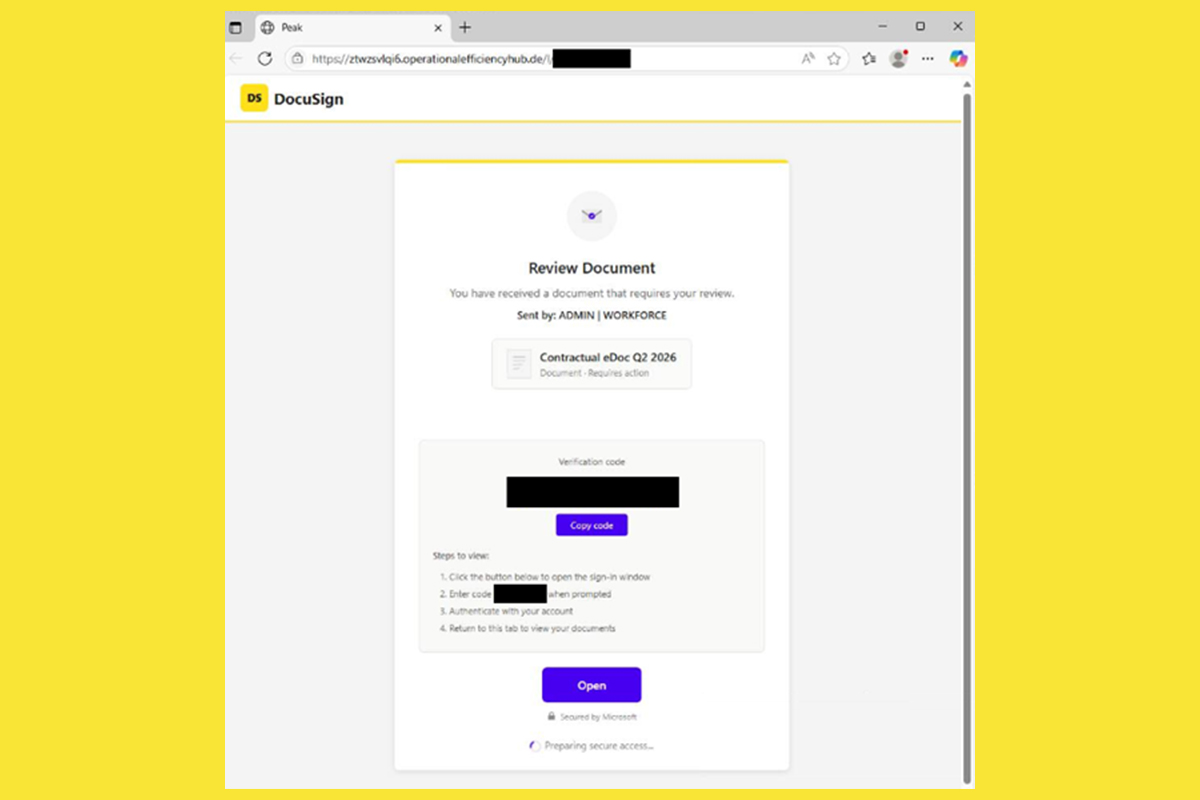
OAuth device code phishing campaigns harvest access tokens without requiring targets to enter their credentials, enabling cyber threat actors to bypass multi-factor authentication (MFA). In early 2026, the EvilTokens Phishing-as-a-Service (PhaaS) platform launched OAuth device code phishing campaigns that compromised over 300 Microsoft 365 organizations across five counties within weeks. The Federal Bureau of Investigation (FBI) recently issued an alert about a similar PhaaS platform called Kali365 that enables cyber threat actors to capture Microsoft 365 access tokens and bypass MFA.
The NJCCIC observed an uptick in Kali365 OAuth device code phishing campaigns sent to New Jersey State employees from compromised accounts. Cyber threat actors send phishing emails that claim to be documents shared with the recipient. The messages impersonate trusted cloud-based, document-sharing services, such as Docusign and Adobe. To access or review the files, the target is instructed to click the “Open” button in the body of the email.
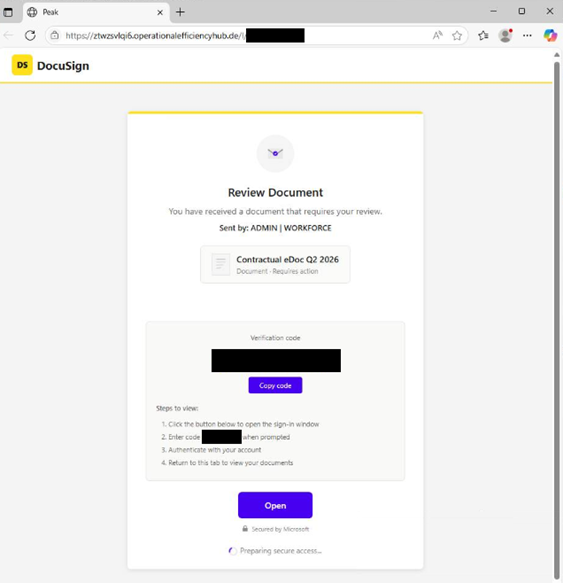
If clicked, the target is directed to a phishing website that displays a verification code and instructions requiring further action by clicking the “Copy code” or “Open” button.
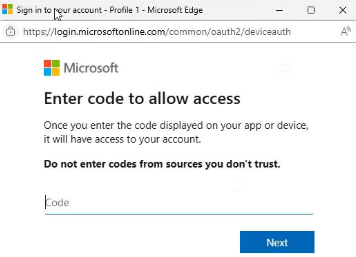
If clicked, the target is prompted with a legitimate Microsoft verification page to enter or paste the code and click the “Next” button.
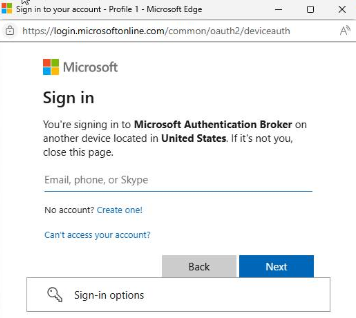
If the code is submitted, the target unknowingly authorizes the cyber threat actors’ device to gain persistent access to the target’s Microsoft 365 account and its services—including Outlook, Teams, and OneDrive—without requiring a password or completing additional MFA challenges.
Recommendations
- Exercise caution with communications from known senders or legitimate platforms.
- Confirm requests from senders using contact information obtained from verified, official sources before taking action, such as clicking links or opening attachments.
- Navigate directly to legitimate websites and verify before submitting account credentials, providing personal or financial information, or downloading files.
- Review the FBI Alert for tips on restricting device code flow to limit or block device authentication codes.
- Report malicious cyber activity to the NJCCIC and the FBI's IC3.